How to Stream AI Responses in ASP.NET Core 10 Using Server-Sent Events
Design a streaming endpoint with explicit completion, safe event framing, browser cancellation, and predictable proxy behavior.
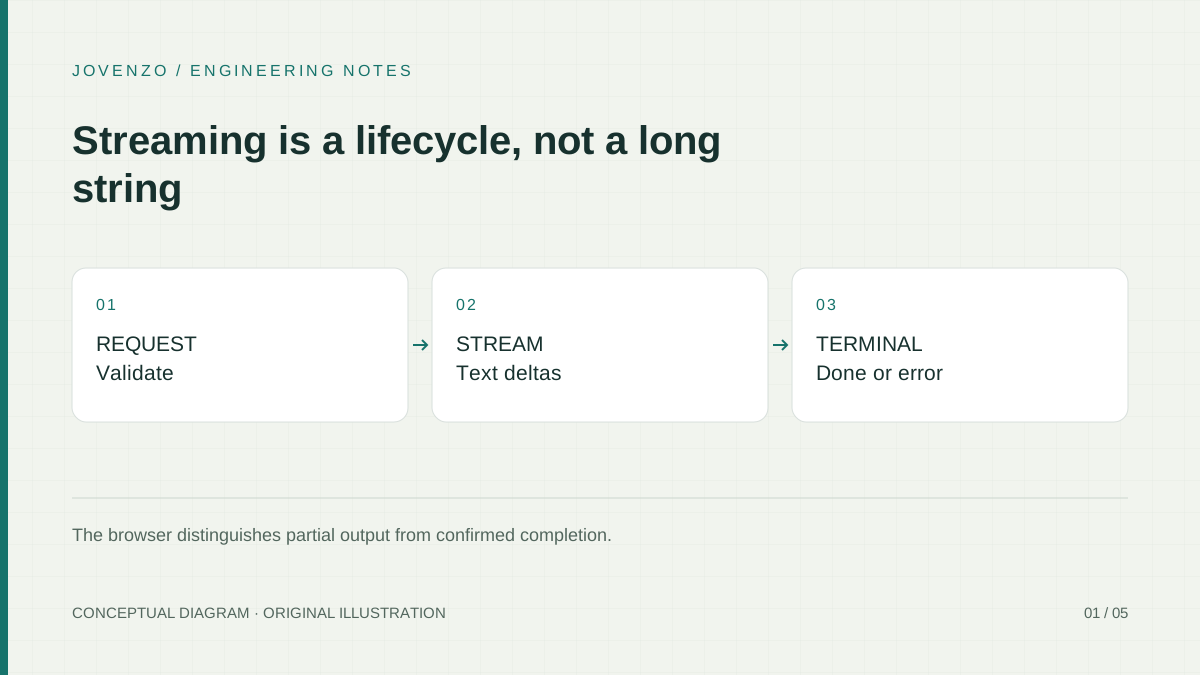
Open /stream.html, submit a question, and the shared sample appends text as delta events arrive. Cancel stops that request and marks its partial answer incomplete; a valid done marks completion. This guide follows the code that keeps those outcomes distinct when the stream fails, ends early, or is replaced by another request.
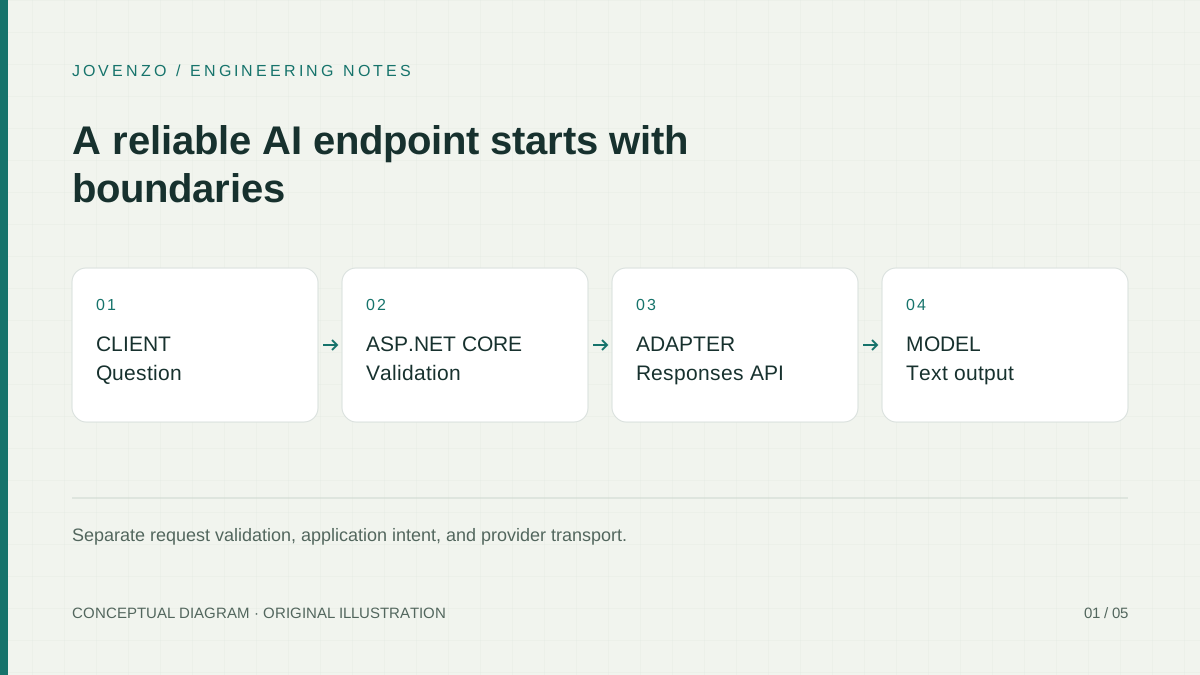
The client calls POST /api/answers/stream in the four-project Jovenzo.Samples archive used by all ten articles. It shares configuration and transport with the JSON-answer and PDF/RAG routes. The provider emits Responses lifecycle events; the endpoint translates them into the smaller application protocol consumed by this page.
When SSE fits an AI endpoint
Server-Sent Events is a text event format carried by an HTTP response. The HTML standard describes its framing. The sample decodes UTF-8, recognizes LF, CRLF, and standalone CR line endings, and dispatches only after a blank line. Multiple data: fields form one event. Network chunks can end inside a character, line, or frame, so a read cannot safely be treated as a complete JSON payload.
This endpoint has a one-way response after the browser submits a question: ordered text updates followed by completion or failure. SSE fits that interaction without a separate bidirectional connection. It would not, by itself, provide the simultaneous two-way messaging of a collaborative editor.
Native EventSource opens a GET request. This sample sends the question in a JSON POST using fetch and reads the response body explicitly. It keeps the established Ai configuration section and {"text":"..."} request. An API key stays on the server. The question is not placed in a query string, and loading the local form does not itself generate an answer.

Define a small event contract
The application protocol has three named events. A delta carries a string in text. A done carries {"text":null} and confirms completion. An error carries a safe code: upstream_failed or deadline_exceeded. The browser validates the payload before changing the answer. A closed connection without a valid done is incomplete.
| Event | Actual payload shape | Effect for this request |
|---|---|---|
delta | {"text":"some text"} | Append text while the request remains open. |
done | {"text":null} | Enter the complete terminal state and stop reading. |
error | {"code":"upstream_failed"} or {"code":"deadline_exceeded"} | Keep partial text but mark it incomplete; no done follows. |
The following is a synthetic protocol illustration, not captured OpenAI output or a timing measurement. Its two deltas form the sentence shown in the frame data, and the final event confirms completion. Blank lines delimit events; the leading colon line is an ignored comment.
: Synthetic example, not provider output
event: delta
data: {"text":"Cancellation "}

event: delta
data: {"text":"is part of the contract."}

event: done
data: {"text":null}
In a separate failed operation, the last frame could instead be event: error with data: {"code":"upstream_failed"}. That is an alternative terminal outcome, not an event to append after done. Once complete, failed, or canceled, later frames and callbacks cannot alter that request's text or status. Starting another question creates a new operation.
The server serializes payloads as JSON before writing SSE fields. Generated newlines remain escaped inside the value instead of becoming arbitrary protocol fields. The page renders with textContent, so generated markup remains text. The browser receives neither raw provider error messages nor the provider's full event taxonomy.
Build the ASP.NET Core stream
The shared API uses a manual writer with awaited flushes. ASP.NET Core also offers ServerSentEvents results; that helper is an alternative, not the implementation used in this archive. The route below is selected directly from src/Jovenzo.Samples.Api/Program.cs. Its surrounding service registration, middleware, and other endpoints remain in that file.
app.MapPost("/api/answers/stream", async (Question request, HttpContext context, IAiAnswers answers, IOptions<AiOptions> options) =>
{
    if (!ValidQuestion(request.Text))
    {
        context.Response.StatusCode = 400;
        await context.Response.WriteAsJsonAsync(new { error = "Enter 1 to 4000 non-whitespace characters." }, context.RequestAborted);
        return;
    }
    try { options.Value.Validate(); }
    catch (InvalidOperationException)
    {
        context.Response.StatusCode = 503;
        await context.Response.WriteAsJsonAsync(new { error = "Configure the AI provider on the server." }, context.RequestAborted);
        return;
    }
    context.Features.Get<IHttpResponseBodyFeature>()?.DisableBuffering();
    context.Response.ContentType = "text/event-stream";
    context.Response.Headers.CacheControl = "no-cache, no-transform";
    context.Response.Headers["X-Accel-Buffering"] = "no";
    using var deadline = CancellationTokenSource.CreateLinkedTokenSource(context.RequestAborted);
    deadline.CancelAfter(TimeSpan.FromSeconds(60));
    var completionStarted = false;
    try
    {
        await foreach (var update in answers.StreamAsync(request.Text!, deadline.Token))
        {
            if (update.Type == "delta" && update.Text is not null)
            {
                await WriteEvent(context.Response, "delta", new { text = update.Text }, deadline.Token);
                continue;
            }
            if (update.Type != "done" || update.Text is not null)
                throw new InvalidDataException("The answer stream returned an invalid event.");
            completionStarted = true;
            await WriteEvent(context.Response, update.Type, new { text = update.Text }, deadline.Token);
            return;
        }
        throw new InvalidDataException("The answer stream ended before completion.");
    }
    catch (Exception ex) when (completionStarted && ex is OperationCanceledException or AiProviderException
        or HttpRequestException or JsonException or InvalidDataException or IOException) { }
    catch (OperationCanceledException) when (context.RequestAborted.IsCancellationRequested) { }
    catch (OperationCanceledException)
    {
        await WriteStreamFailure(context, "deadline_exceeded", 504, "The AI request timed out.");
    }
    catch (AiProviderException ex)
    {
        await WriteStreamFailure(context, "upstream_failed",
            ex.StatusCode == HttpStatusCode.TooManyRequests ? 503 : 502,
            "The AI provider could not complete the request.");
    }
    catch (Exception ex) when (ex is HttpRequestException or JsonException or InvalidDataException or IOException)
    {
        await WriteStreamFailure(context, "upstream_failed", 502, "The AI provider is unavailable.");
    }
}).RequireRateLimiting("ai");
The JSON input requires nonblank text of at most 4,000 UTF-16 code units, including spaces. Invalid text receives HTTP 400 before a provider call. Missing or invalid Ai settings receive HTTP 503 before streaming. The API applies a 16 KiB JSON request-body budget and shares a four-call concurrency limiter with no queue; local limiter rejection is HTTP 429. The sample remains a loopback tutorial without public-user authentication or per-user quotas.
The streaming deadline is 60 seconds and is linked to RequestAborted. It covers provider connection, reads, and downstream writes. The typed client's overall timeout is infinite because the endpoint owns that deadline; its connection timeout remains ten seconds. The non-streaming endpoint keeps its separate 45-second deadline. Canceling the client is not reported as the application's deadline.
| Stage | Failure | Observed protocol |
|---|---|---|
| Before response starts | Provider HTTP 429 | HTTP 503 problem details. |
| Before response starts | Other provider/HTTP, malformed JSON, invalid shape, or I/O failure | HTTP 502 problem details. |
| Before response starts | Application deadline while caller remains connected | HTTP 504 problem details. |
| After a flushed SSE frame | Provider/protocol failure or application deadline | Existing HTTP 200 stream with an error event; no done. |
| Caller has canceled | Disconnected operation | Stop work; do not send a timeout event. |
A successful stream uses Content-Type: text/event-stream, Cache-Control: no-cache, no-transform, and X-Accel-Buffering: no. The response-buffering feature is disabled where supported. Before headers are sent, failures use problem JSON, remove the SSE buffering hint, and set Cache-Control: no-store. The helpers below make that distinction explicit.
static async Task WriteStreamFailure(HttpContext context, string code, int statusCode, string message)
{
    if (context.RequestAborted.IsCancellationRequested) return;
    try
    {
        if (context.Response.HasStarted)
            await WriteEvent(context.Response, "error", new { code }, context.RequestAborted);
        else
        {
            context.Response.Headers.Remove("X-Accel-Buffering");
            context.Response.Headers.CacheControl = "no-store";
            await Results.Problem(message, statusCode: statusCode).ExecuteAsync(context);
        }
    }
    catch (OperationCanceledException) when (context.RequestAborted.IsCancellationRequested) { }
}

static async Task WriteEvent(HttpResponse response, string type, object data, CancellationToken ct)
{
    await response.WriteAsync($"event: {type}\ndata: {JsonSerializer.Serialize(data)}\n\n", ct);
    await response.Body.FlushAsync(ct);
}
Returning after done disposes the provider enumerator and prevents later updates. Once completion delivery has started, known operational write or cleanup failures do not produce a contradictory error terminal event. The browser still requires a complete valid done frame; a lost connection during its delivery remains incomplete. An unanticipated programming error is not blindly caught as an InvalidOperationException. If the connection itself is lost, an error frame may never reach the browser; the missing-done rule still prevents a false success.
Translate upstream provider events
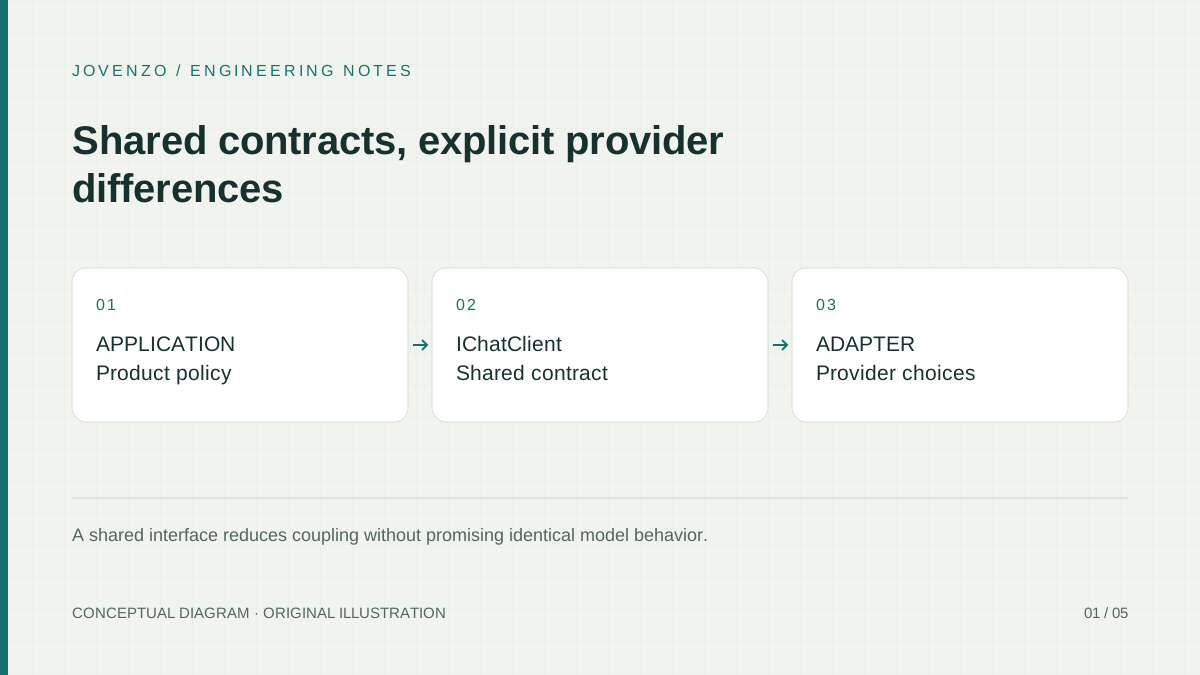
The OpenAI streaming guide describes typed Responses lifecycle events. The sample requests stream: true, translates response.output_text.delta into application delta events, and translates response.completed into done. Provider failure, incomplete response, and error events take the controlled failure path. A text-part boundary is not used as the whole-response completion signal.
OpenAiResponsesClient.StreamAsync validates the JSON root and the required type and delta value kinds before accessing them. A text delta must be a string. Unknown well-formed provider event types can be ignored, while missing or incorrectly typed required fields produce InvalidDataException. Broken JSON produces JsonException. Both reach the endpoint's controlled handling without catching all programming failures.
public async IAsyncEnumerable<AiStreamEvent> StreamAsync(
        string question,
        [EnumeratorCancellation] CancellationToken cancellationToken)
    {
        using var request = CreateRequest(question, stream: true);
        using var response = await httpClient.SendAsync(request, HttpCompletionOption.ResponseHeadersRead, cancellationToken);
        EnsureSuccess(response);
        if (response.Content.Headers.ContentType?.MediaType != "text/event-stream")
            throw new AiProviderException(response.StatusCode, RequestId(response));

        await using var stream = await response.Content.ReadAsStreamAsync(cancellationToken);
        var outputCharacters = 0;
        await foreach (var frame in SseReader.ReadAsync(stream, cancellationToken))
        {
            using var json = JsonDocument.Parse(frame.Data);
            var root = json.RootElement;
            if (root.ValueKind != JsonValueKind.Object
                || !root.TryGetProperty("type", out var eventType) || eventType.ValueKind != JsonValueKind.String)
                throw new InvalidDataException("Provider event did not include an event type.");
            var type = eventType.GetString();
            if (type == "response.output_text.delta")
            {
                if (!root.TryGetProperty("delta", out var delta) || delta.ValueKind != JsonValueKind.String)
                    throw new InvalidDataException("Provider text event did not include a text delta.");
                var text = delta.GetString()!;
                if (text.Length > MaxStreamOutputCharacters - outputCharacters)
                    throw new InvalidDataException("Provider text exceeded the sample's streaming output limit.");
                outputCharacters += text.Length;
                yield return new AiStreamEvent("delta", text);
            }
            else if (type == "response.completed")
            {
                yield return new AiStreamEvent("done");
                yield break;
            }
            else if (type is "response.failed" or "response.incomplete" or "error")
                throw new AiProviderException(response.StatusCode, RequestId(response));
            // Other events include metadata, reasoning, output-item boundaries and tool events.
        }
        // A dropped connection must never look like a successfully completed response.
        throw new AiProviderException(response.StatusCode, RequestId(response));
    }
ResponseHeadersRead lets the adapter begin consuming provider frames without buffering the whole response. SseReader handles framing; StreamAsync interprets the JSON events. If enumeration reaches EOF before provider completion, it fails. Completion exits the iterator, and disposal releases the provider response and stream. This path does not automatically retry a failed generation.
The revised reader does not ask ReadLineAsync to allocate an unbounded line and inspect its length afterwards. It decodes fixed-size chunks, keeps partial lines across reads, and checks before appending. It accepts a leading UTF-8 BOM, rejects invalid UTF-8 through a controlled error, ignores comments and unknown fields, and joins data fields with a single LF. A pending frame at EOF is not dispatched.
| Budget | Limit | What is counted and when |
|---|---|---|
| One decoded line, server and browser | 65,536 UTF-16 code units | Includes field prefix; excludes CR/LF delimiters. Checked while collecting the line. |
| Joined event data, server and browser | 262,144 UTF-16 code units | Data values plus inserted inter-data LF characters. Checked before each accumulation. |
| Total accepted answer text, adapter and browser | 2,097,152 UTF-16 code units | Cumulative delta text; checked before yielding or appending the next delta. |
These are application memory and output budgets, not byte limits, model tokens, or Unicode character counts. A supplementary Unicode symbol occupies two UTF-16 code units. Delimiter bytes and protocol metadata do not count as answer text. The connection deadline still bounds time spent on comments or metadata that do not produce text. The limits do not claim to control every buffer in the network stack.
Read a POST stream in the browser
The real page is src/Jovenzo.Samples.Api/wwwroot/stream.html. It loads the shared executable module directly:
<script type="module" src="/stream-client.mjs"></script>stream-client.mjs exports SseAnswerParser and mountStreamingPage. The same module is imported by the Node regression tests; the tests do not maintain a second imitation parser. mountStreamingPage owns the DOM listeners, one request session per submission, the abort controller, decoder, reader, and cleanup. The following is the actual fetch/read portion; surrounding session creation and cleanup are in that module.
const response = await fetchImpl('/api/answers/stream', {
        method: 'POST', headers: { 'Content-Type': 'application/json' },
        body: JSON.stringify({ text: question.value }), signal: session.controller.signal
      });
      session.body = response.body;
      if (!active(session)) return;
      if (!response.ok)
        throw new StreamClientError(`Server returned HTTP ${response.status}. Check server configuration and limits.`);
      const mediaType = response.headers.get('content-type')?.split(';')[0].trim().toLowerCase();
      if (!response.body || mediaType !== 'text/event-stream')
        throw new StreamClientError('Expected an event stream.');
      session.reader = response.body.pipeThrough(new TextDecoderStream('utf-8', { fatal: true })).getReader();
      session.parser = new SseAnswerParser({
        onDelta(text) {
          if (!active(session)) return;
          answer.textContent += text;
          status.textContent = 'Receiving…';
        },
        onDone() { settle(session, 'Complete.'); }
      });
      while (active(session)) {
        const { value, done } = await session.reader.read();
        if (!active(session)) break;
        if (done) { session.parser.finish(); break; }
        session.parser.push(value);
      }
TextDecoderStream retains split UTF-8 bytes across reads and uses fatal decoding for invalid input. The parser then recognizes LF, CRLF, or CR even when delimiters cross read boundaries. It checks line and event budgets while accumulating. Multiple short data lines therefore cannot bypass the event limit simply because the current partial line is small. The output budget is checked before a delta changes the visible answer.
Payload validation closes two concrete failure paths. A delta with no string text now fails instead of appending undefined, and a trailing delta cannot modify an answer after done. Recognized payloads must be non-array objects: done requires null text, and error requires a nonempty string code. The client marks the answer as incomplete if the JSON is malformed or a required field has an unexpected type. Comments, unknown SSE fields, and unknown event names are not displayed as answer text.
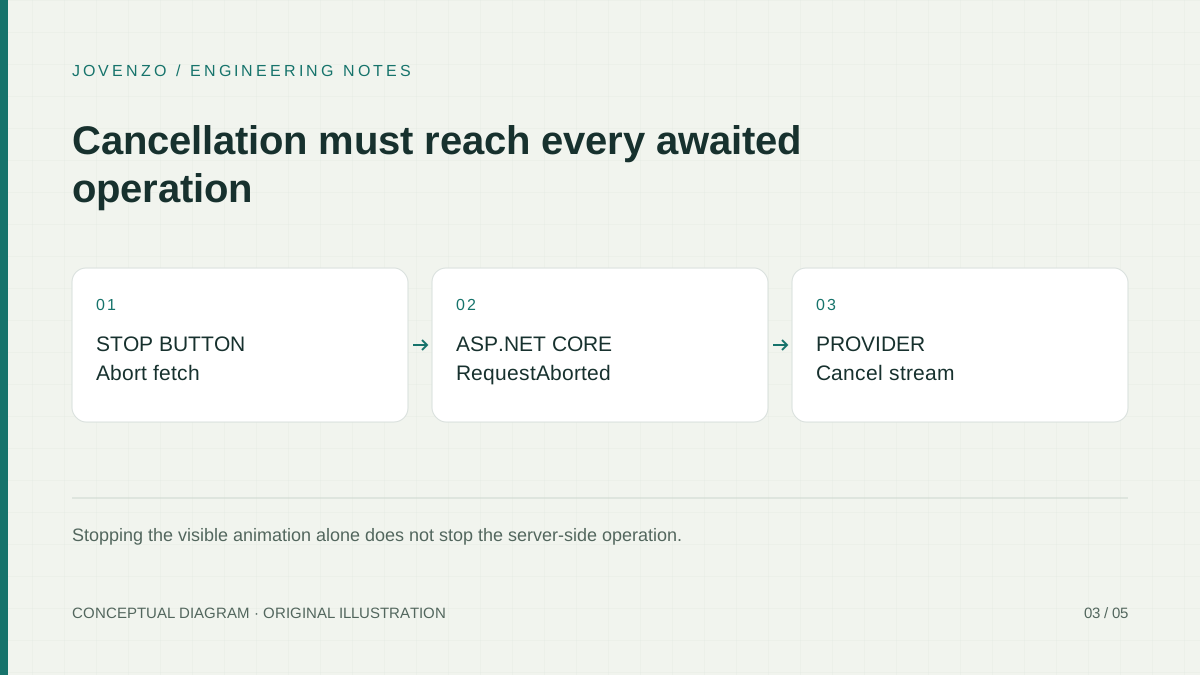
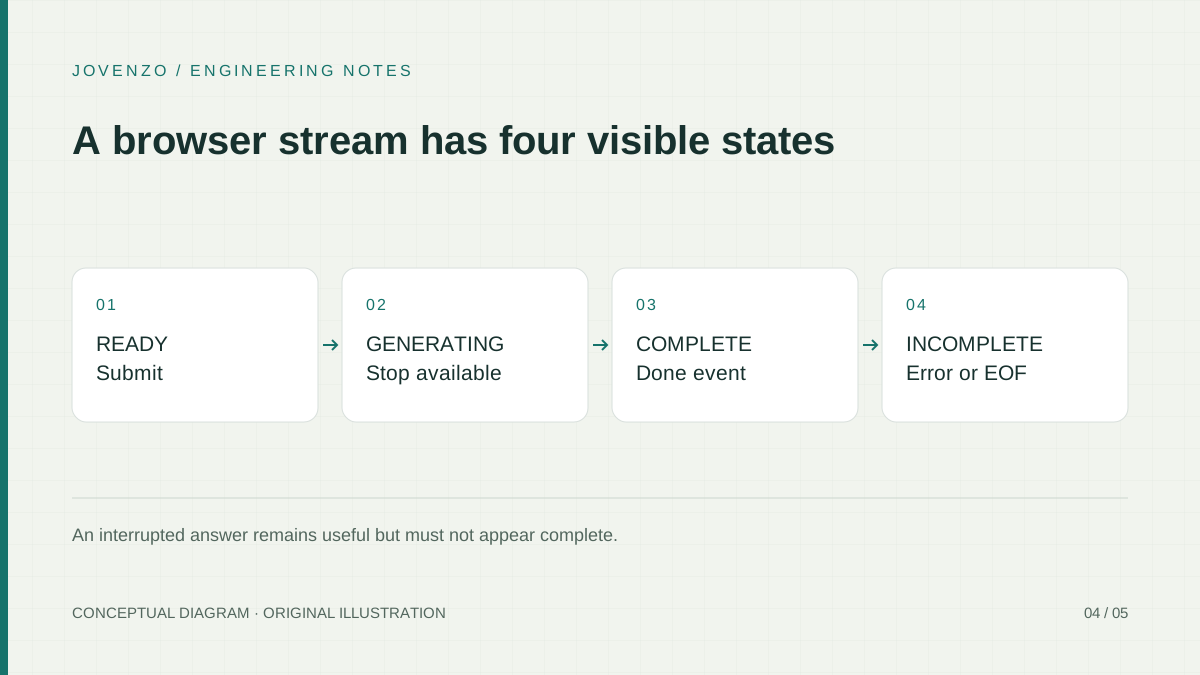
A valid done changes the parser to a complete terminal state before its callback runs. Error and cancel also end the current operation. The page stops reading and aborts the fetch during cleanup; trailing deltas cannot reopen the request. EOF is successful only after a valid done. An unfinished line or frame cannot manufacture completion when the connection closes.
Each callback verifies its session identity and that the session is still active. Starting another request invalidates and aborts the old one. A late fetch resolution, read, catch handler, or finally block from that old operation cannot overwrite the new answer, status, or controls. Cleanup cancels and releases the reader, or cancels an unread body, and removes request ownership. Cancel preserves partial text while marking it incomplete.
Handle buffering and slow consumers
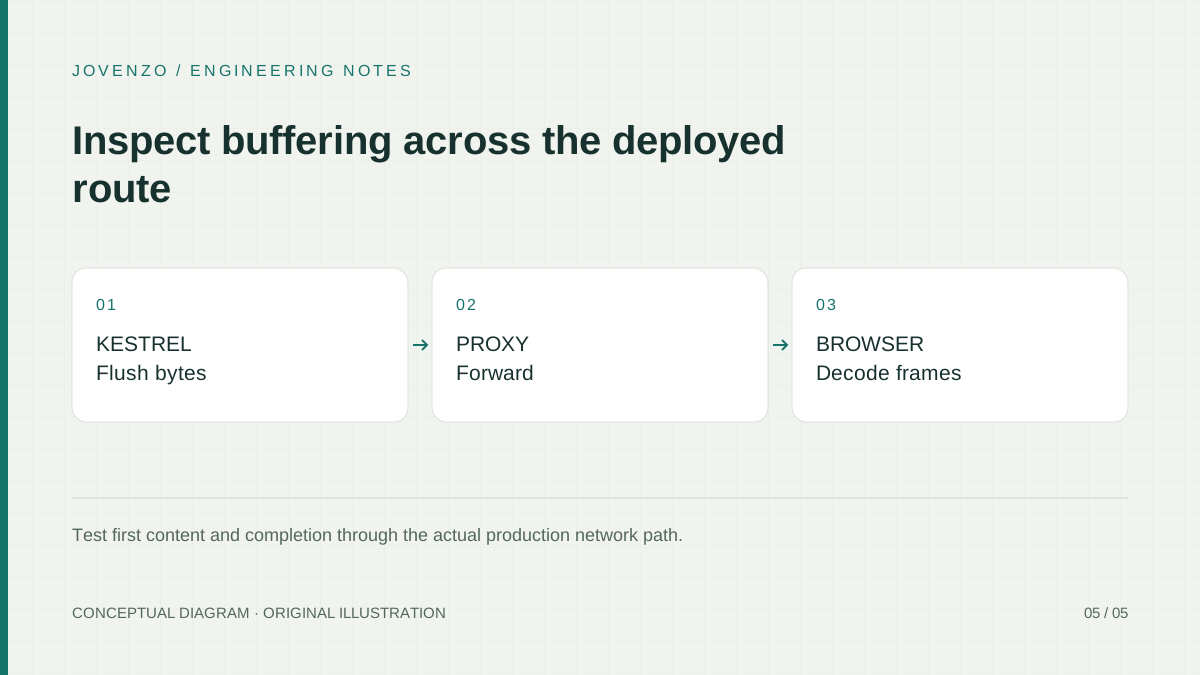
The endpoint disables response buffering where supported and sends X-Accel-Buffering: no with no-transform. These are settings and hints, not evidence that a CDN or reverse proxy forwards each flush immediately. The recorded checks used local fixtures and HTTP requests; the deployed TLS, compression, load-balancing, and proxy path still needs its own streaming test.
No time-to-first-text or completion benchmark is recorded for this sample. A connection header or comment only proves transport activity, not generated content. Deployment measurements would need to distinguish the first useful delta from terminal completion and record the workload, provider settings, environment, and date.
The endpoint awaits writes and flushes rather than queuing unbounded background tasks. The browser awaits reader progress and keeps only bounded parser state plus its bounded answer. A slow consumer should not create a separate unlimited list of pending deltas. More elaborate batching is a product choice that needs measurements and must preserve ordering and terminal semantics.
The parser accepts comments, but the sample does not run a heartbeat timer. Comments are ignored rather than displayed as generated text. If a deployment needs heartbeats to keep idle connections open, their lifetime and proxy idle-timeout policy must be designed separately from the implemented 60-second application deadline.
Test the stream as a protocol
Download the common archive, extract it, and open a terminal in its Jovenzo.Samples directory. Keep all four projects. These are the files for this path; the first article and the other sample workflows remain alongside them.
| Archive-relative path | Purpose |
|---|---|
src/Jovenzo.Samples.Api/Program.cs | SSE endpoint, headers, error-stage handling, limits, and DTO. |
src/Jovenzo.Samples.Core/OpenAiResponsesClient.cs | Provider event translation and cumulative text limit. |
src/Jovenzo.Samples.Core/SseReader.cs | Incremental UTF-8 line/event framing and budgets. |
src/Jovenzo.Samples.Api/wwwroot/stream.html | Local form at /stream.html. |
src/Jovenzo.Samples.Api/wwwroot/stream-client.mjs | The actual browser parser and request lifecycle. |
tests/stream-browser.test.mjs | Node tests importing the actual browser module. |
tests/Jovenzo.Samples.Tests/SseReaderTests.cs, OpenAiResponsesClientTests.cs, StreamingApiTests.cs | C# framing, provider, and endpoint regressions. |
src/Jovenzo.Samples.Core/AiOptions.cs, API appsettings.json and Jovenzo.Samples.Api.csproj | Ai options, non-secret defaults, and existing User Secrets identifier. |
Install the .NET 10 SDK and a recent Node release supporting the built-in test runner and Web Streams used by the tests. Restore can access NuGet; the actual test runs use local fixtures and need no OpenAI key. From the extracted directory, restore locked dependencies, build every project in Release, and execute both suites:
dotnet restore Jovenzo.Samples.slnx --locked-mode
dotnet build Jovenzo.Samples.slnx --no-restore --configuration Release --disable-build-servers -m:1
dotnet test tests/Jovenzo.Samples.Tests/Jovenzo.Samples.Tests.csproj --no-build --no-restore --configuration Release
node --test tests/stream-browser.test.mjs
A key-free startup checks the local application, not provider authentication. Set Development, start the API, and use another terminal to request its information route or load the form. Neither GET starts a generation.
$env:ASPNETCORE_ENVIRONMENT = 'Development'
dotnet run --project src/Jovenzo.Samples.Api --configuration Release --no-build -- --urls http://127.0.0.1:5188
# In another terminal; no provider request:
Invoke-RestMethod -Uri http://127.0.0.1:5188/
# Open http://127.0.0.1:5188/stream.html; do not submit to remain key-free.
To make a live request, stop the API and configure your own authorized model and key for the API project. It already declares a User Secrets identifier. Development loads those local settings; environment variables Ai__ApiKey and Ai__Model are another option. Configuration alone does not invoke the provider. Never commit real values or paste them into shared logs.
dotnet user-secrets set 'Ai:ApiKey' 'YOUR_LOCAL_API_KEY' --project src/Jovenzo.Samples.Api
dotnet user-secrets set 'Ai:Model' 'YOUR_AVAILABLE_MODEL_ID' --project src/Jovenzo.Samples.Api
$env:ASPNETCORE_ENVIRONMENT = 'Development'
dotnet run --project src/Jovenzo.Samples.Api --configuration Release --no-build -- --urls http://127.0.0.1:5188
After restart, submitting the form or running the following command sends a live, potentially billable provider request. It is an example for an authorized operator and was not executed for the verification below. On Windows, curl.exe names curl rather than a PowerShell alias; its no-buffer option keeps output progressive.
# LIVE request: requires your own server configuration and can incur charges.
'{"text":"Explain CancellationToken in one paragraph."}' | curl.exe --no-buffer --request POST http://127.0.0.1:5188/api/answers/stream --header 'Content-Type: application/json' --data-binary '@-'
Regression coverage includes fragmented UTF-8 and delimiters, LF/CRLF/CR, comments, multiline data, unfinished frames, invalid payload types, budgets, terminal events, and request replacement. The lifecycle harness uses fake DOM elements and injected fetch/readers while executing the actual shipped JavaScript. That proves application behavior at the tested boundary; it does not establish how a real browser, proxy, or live provider schedules network events.
The C# tests exercise the real endpoint and adapter with local provider fixtures. They distinguish errors before the response starts from errors after a flushed delta, prove that failed paths do not append done, keep raw provider details out of the response, and distinguish caller cancellation from controlled deadline cancellation. The deadline tests simulate cancellation; they do not wait for a real internet request to run for 60 seconds.
The page exposes a Cancel control, announces status through a status region, and retains partial text with an incomplete label after failure or cancellation. These behaviors can be inspected in the shipped client and its Node fixtures. They are not an accessibility audit or a deployed-browser check. If a hosted stream arrives all at once, compare direct Kestrel with that hosting path; the local tests do not identify which proxy or buffering layer is responsible.
Verification results
For the November 2, 2026 package revision, all four shared projects built in Release with zero warnings or errors. The complete shared C# suite passed 143 tests, with none failed or skipped. The separately selected 58 C# SSE tests are included in that total: 17 framing, 21 adapter-streaming, and 20 endpoint cases. A separate suite executing the actual browser module passed 45 Node tests, with none failed or skipped. These counts cover the shared package and distinct test boundaries, not just this article or a real-browser session.
The earlier 56-test verification and the November 1, 2026 result of 96 C# tests describe previous package revisions. On November 2, the three reported browser regressions were reproduced against the original script before the fixes. No live OpenAI request, real-browser streaming session, or proxy/network timing test was performed. Credentials, generated-answer quality, billing effects, and production streaming behavior remained unverified.
For that November 2 verification, the rebuilt shared ZIP was extracted into a separate directory. Locked restore and all four Release builds succeeded with zero warnings or errors; the extracted package passed all 143 C# tests and all 45 JavaScript tests. The download URL and four-project layout were retained.
Key takeaways
- Use an application event contract with explicit delta, completion, and failure semantics.
- Parse SSE frames independently of network chunks and preserve UTF-8 decoder state.
- Propagate cancellation through the browser, endpoint, and provider sequence.
- Verify the complete hosting path because flushing at the application does not eliminate proxy buffering.
Frequently asked questions
Does streaming reduce model cost?
Streaming changes delivery, not the fundamental need to generate output. A user who stops early may reduce further work when cancellation reaches the provider, but you should not assume every interrupted connection eliminates all remaining charges. Use output budgets and account-level cost controls independently of the streaming interface.
Should a stream reconnect automatically?
Only when your application defines replay and deduplication. Blind reconnection can start a second generation or repeat partial text. For a simple POST request, show a retry action that starts a clearly separate attempt. Resume support requires a durable operation identity and authorized access to retained events.
Can I switch providers without rewriting the client?
Yes, if provider events are translated behind your application contract. The provider abstraction guide explains where a shared chat interface helps and where provider-specific lifecycle details still require careful handling.
Conclusion and next step
The sample delivers partial text through a POST response, freezes the answer at completion or cancellation, and reports an incomplete result when the stream fails or ends without done. Its recorded tests exercise framing, payload validation, terminal states, and request ownership with local fixtures. Live provider behavior and the hosted network path remain separate checks before using this loopback tutorial as a public service.
Sources & further reading
Share this article

Bora Yılmaz
Backend developer with a Computer Engineering degree and a professional software development background dating to 2015. His work spans C#, .NET, APIs, enterprise integrations, and software architecture.