How to Build an MCP Server in C# and Connect It to an AI Agent
Build and verify a local stdio MCP server, discover an allowlisted catalog tool, and connect it to an Agent Framework loop.
Model Context Protocol gives an AI application a standard way to discover and call tools. This tutorial follows the actual shared Jovenzo.Samples implementation: one local C# stdio server, one bounded catalog tool, one application-selected allowlist, and one Agent Framework loop that can be verified without an API key.
The downloadable project is the source of truth. It launches its own built SDK assembly as a child process, exchanges MCP JSON-RPC over stdin and stdout, calls the tool directly, and then gives the same approved tool to an offline agent. The model turns in that last check are deterministic fixtures. They prove orchestration and transport wiring, not live-model judgment.
Understand the server, client, and agent roles
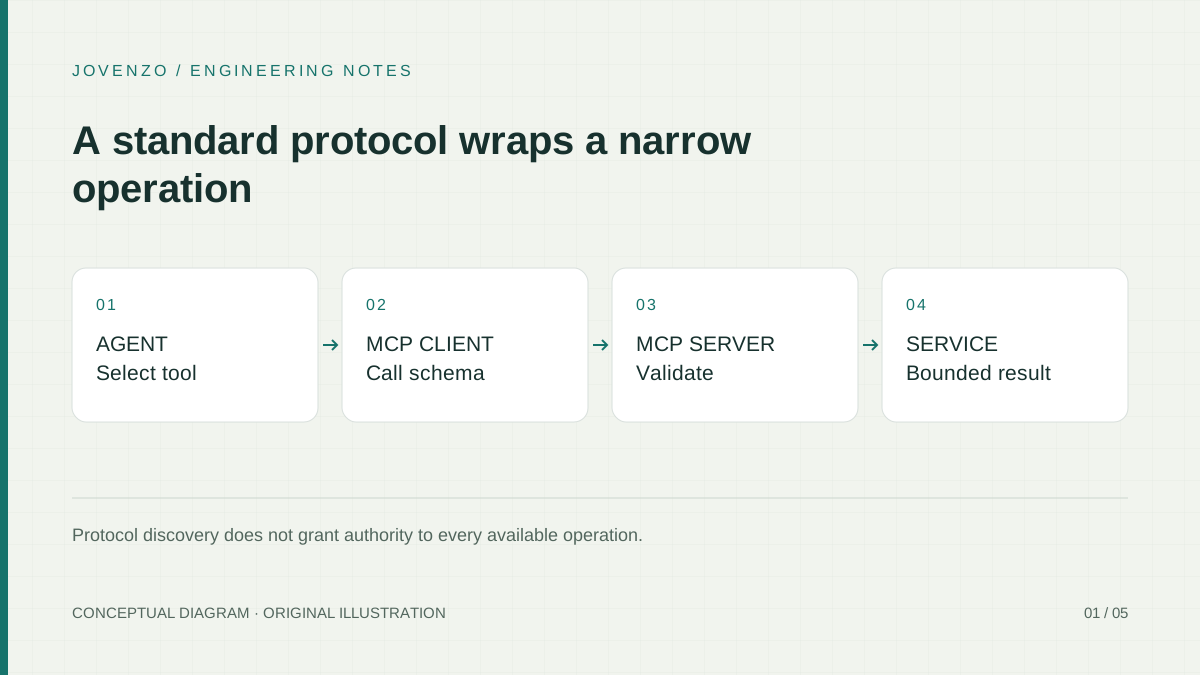
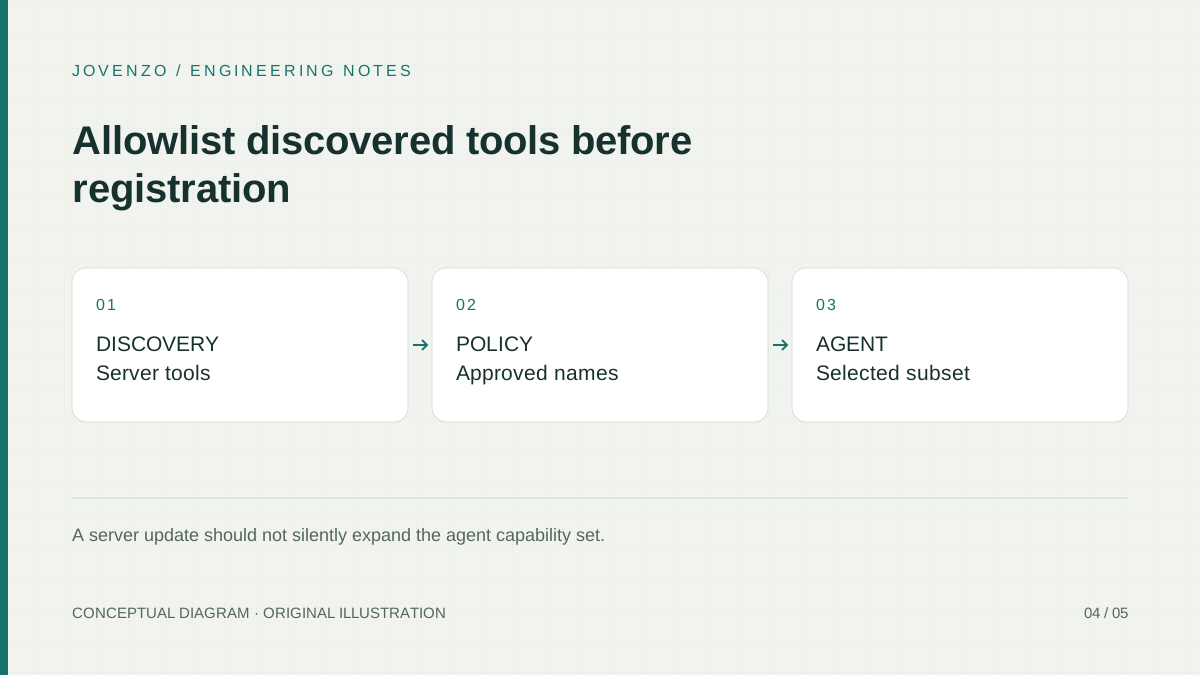
The server advertises schemas and executes calls. The client starts the local server, initializes the protocol session, lists tools, and sends calls. The host application decides which discovered tools an agent may receive. Discovery is interoperability, not authorization: a server update must not silently expand the agent's capability set.
The MCP transport specification defines the local stdio relationship used here. The client launches the server as a subprocess; the server reads protocol messages from stdin and writes protocol messages to stdout. Operational logging may use stderr. Arbitrary text on stdout can corrupt the JSON-RPC stream, so the sample routes console logging to stderr and leaves stdout to the MCP SDK.
The C# SDK transport documentation describes the same child-process arrangement and the client transport options used by the sample. Local evidence and documentation answer different questions: the documentation defines intended behavior, while this package's tests show that its pinned dependencies and actual assembly work together on the verified revision.
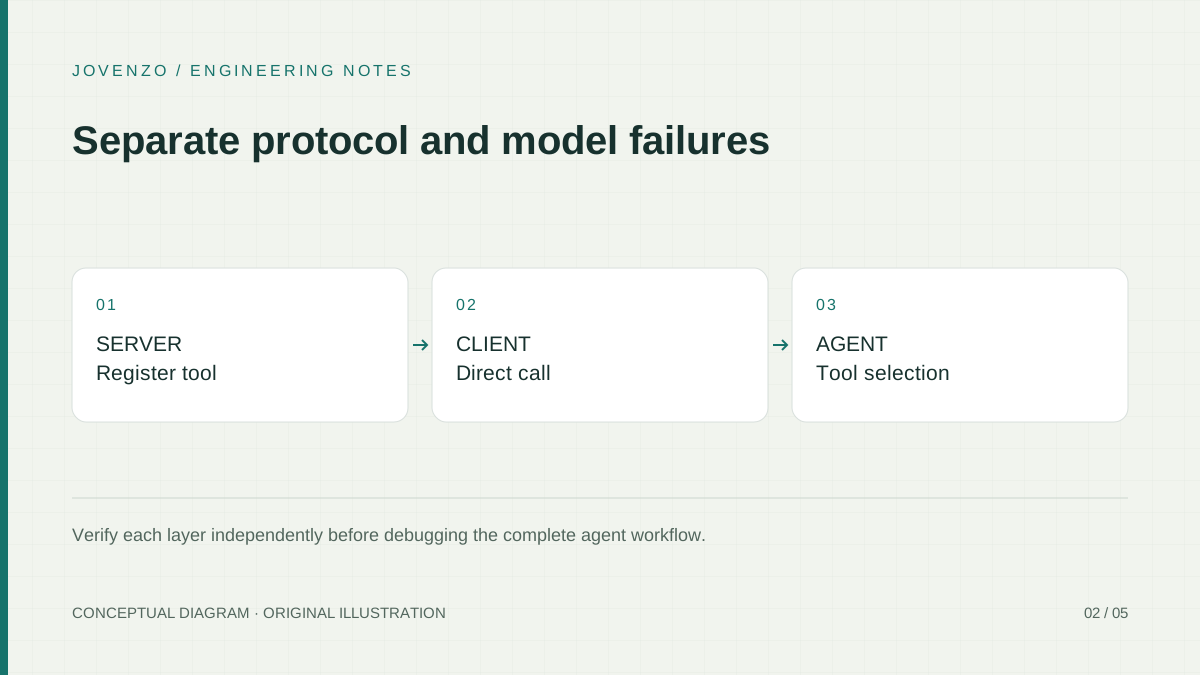
Create the server with pinned dependencies
Download the shared Jovenzo.Samples archive, extract it, and change to the directory that contains Jovenzo.Samples.slnx. Do not create a separate CatalogMcp project: the archive already contains the server, client composition, agent fixture, locked dependencies, and tests used below.
dotnet restore Jovenzo.Samples.slnx --locked-mode
dotnet build Jovenzo.Samples.slnx --configuration Release --no-restore --disable-build-servers -m:1

# Key-free local checks. Each command has a bounded deadline in the sample.
dotnet run --project src/Jovenzo.Samples.Sdk --configuration Release --no-build -- --mcp-smoke
dotnet run --project src/Jovenzo.Samples.Sdk --configuration Release --no-build -- --agent-mcp-offline
The relevant files are deliberately small enough to follow:
| File | Responsibility |
|---|---|
src/Jovenzo.Samples.Sdk/Program.cs | Selects --mcp-server, --mcp-smoke, or --agent-mcp-offline and owns the 20-second deadline. |
src/Jovenzo.Samples.Sdk/LocalCatalogMcpSample.cs | Launches the current SDK assembly, owns the client lifetime, discovers tools, enforces the exact-one allowlist, calls the tool, and composes the offline agent path. |
src/Jovenzo.Samples.Sdk/Program.cs, CatalogTools | Defines the single MCP tool and its fixed tutorial behavior. |
src/Jovenzo.Samples.Sdk/OfflineToolChatClient.cs | Provides deterministic model turns; it makes no provider request. |
tests/Jovenzo.Samples.Tests/LocalCatalogMcpSampleTests.cs | Runs the real SDK assembly as a stdio child process and covers discovery, calls, the agent path, cancellation, and disposal. |
src/Jovenzo.Samples.Sdk/Jovenzo.Samples.Sdk.csproj, packages.lock.json | Pin the MCP and Agent Framework dependency graph. |
README.md | Records commands, boundaries, and package verification for archive readers. |
The server branch in Program.cs is the entire process entry point. It registers one tool type, uses stdio, and exits the normal command dispatcher after the host stops:
if (args.Contains("--mcp-server", StringComparer.Ordinal))
{
    var builder = Host.CreateApplicationBuilder(args);
    builder.Logging.AddConsole(options =>
        options.LogToStandardErrorThreshold = LogLevel.Trace);
    builder.Services.AddMcpServer()
        .WithStdioServerTransport()
        .WithTools<CatalogTools>();
    await builder.Build().RunAsync();
    return;
}
Define a bounded tool schema
The sample exposes one read-only operation. Its name states the business action, its argument has a narrow domain, and its returned strings are fixed tutorial data. The tool does not run arbitrary code, accept a query language, or connect to production inventory.
[McpServerToolType]
public sealed class CatalogTools
{
    [McpServerTool(Name = "lookup_product"),
     Description("Look up a product in the fixed tutorial catalog. This is not a production inventory.")]
    public static string LookupProduct(
        [Description("A positive catalog product ID.")] int productId)
    {
        if (productId <= 0)
            throw new ArgumentOutOfRangeException(nameof(productId));

        return productId == 42
            ? "Mechanical keyboard (tutorial fixture); price USD 89.00."
            : "Product not found in the tutorial fixture.";
    }
}
The outcomes remain distinct. Product 42 returns the exact fixture. Another positive identifier returns a normal not-found result. A non-positive identifier is a tool execution error. Transport initialization and process failures are separate operational failures. Preserving those categories prevents an agent from receiving an empty value and guessing why data is missing.
A complete local session makes those boundaries visible. The parent starts the SDK assembly, the MCP client negotiates initialization, and tools/list returns the registered schema. The application checks that list before it sends tools/call. For product 42, the response content contains the keyboard fixture. For product 7, the call itself still succeeds and its content says that the product was not found. For product 0, the server converts the argument failure into a tool result marked as an error. The integration test exercises all three calls against the child process rather than invoking CatalogTools directly and calling that protocol coverage.
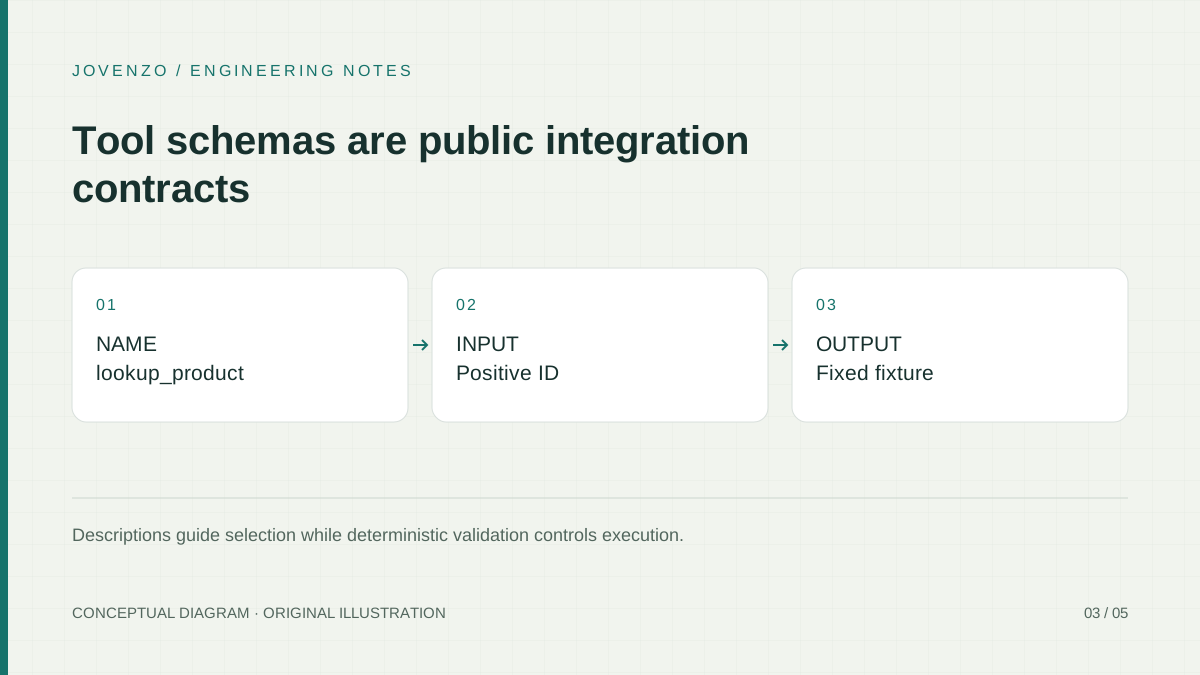
Connect a C# client and call the tool directly
LocalCatalogMcpSample.CreateAsync launches the same SDK assembly that contains the command dispatcher. The child receives --mcp-server; there is no placeholder DLL path to replace. The launcher disables broad environment inheritance and supplies the SDK's default minimal environment set, which includes the values needed to find dotnet without forwarding every parent-process secret.
var transport = new StdioClientTransport(new StdioClientTransportOptions
{
    Name = "Jovenzo local catalog",
    Command = "dotnet",
    Arguments = [Assembly.GetExecutingAssembly().Location, "--mcp-server"],
    InheritEnvironmentVariables = false,
    EnvironmentVariables =
        StdioClientTransportOptions.GetDefaultEnvironmentVariables()
});

var client = await McpClient.CreateAsync(
    transport, cancellationToken: cancellationToken);
The smoke command creates this component inside a 20-second deadline, lists the tools, selects the one approved operation, and makes a direct call before introducing Agent Framework:
using var deadline = new CancellationTokenSource(TimeSpan.FromSeconds(20));
await using var sample = await LocalCatalogMcpSample.CreateAsync(deadline.Token);
var discovery = await sample.DiscoverAsync(deadline.Token);

var result = await sample.LookupProductAsync(
    discovery, 42, deadline.Token);
if (result.IsError == true)
    throw new InvalidOperationException("The local MCP tool returned an error.");
await using keeps the client, transport, and child process ownership in one scope. Disposing the sample disposes the MCP client; the SDK transport owns the launched process. The public wrapper then rejects further use. The MCP SDK does not expose the child process handle through this wrapper, so the regression test verifies the disposal boundary and unusable disposed state rather than claiming a direct operating-system PID assertion.
Cancellation enters at the same component boundary. Each public async method checks the caller's token before beginning new protocol work and passes it to the SDK operation. The executable retains its outer 20-second deadline, so a lost child or stalled handshake cannot wait forever. A deterministic test cancels before the tool call and confirms that the operation stops with cancellation instead of being relabeled as a product error. This does not imply that cancellation can reverse work already completed by a child process; future write tools would also need operation identifiers and idempotency.
Expose only selected tools to the agent
The host application allows exactly one tool whose name equals lookup_product using ordinal comparison. Zero matches fail closed. One match is accepted. More than one match also fails, because choosing one duplicate arbitrarily would make the effective schema depend on ordering.
var matches = candidates
    .Where(candidate => string.Equals(
        nameSelector(candidate), approvedName, StringComparison.Ordinal))
    .Take(2)
    .ToArray();

return matches.Length switch
{
    1 => matches[0],
    0 => throw new InvalidOperationException(
        $"Required MCP tool '{approvedName}' was not discovered."),
    _ => throw new InvalidOperationException(
        $"MCP tool name '{approvedName}' was discovered more than once.")
};
The Microsoft Agent Framework local MCP guide shows discovered MCP tools being supplied to an agent. In this sample the selected McpClientTool is the only tool passed to ChatClientAgent, and the owning LocalCatalogMcpSample remains alive for the entire run:
using var fake = new OfflineToolChatClient();
var answer = await sample.RunOfflineAgentAsync(
    discovery, fake, deadline.Token);

if (!answer.ToString().Contains("Mechanical keyboard", StringComparison.Ordinal))
    throw new InvalidOperationException(
        "The agent did not obtain the expected MCP result.");
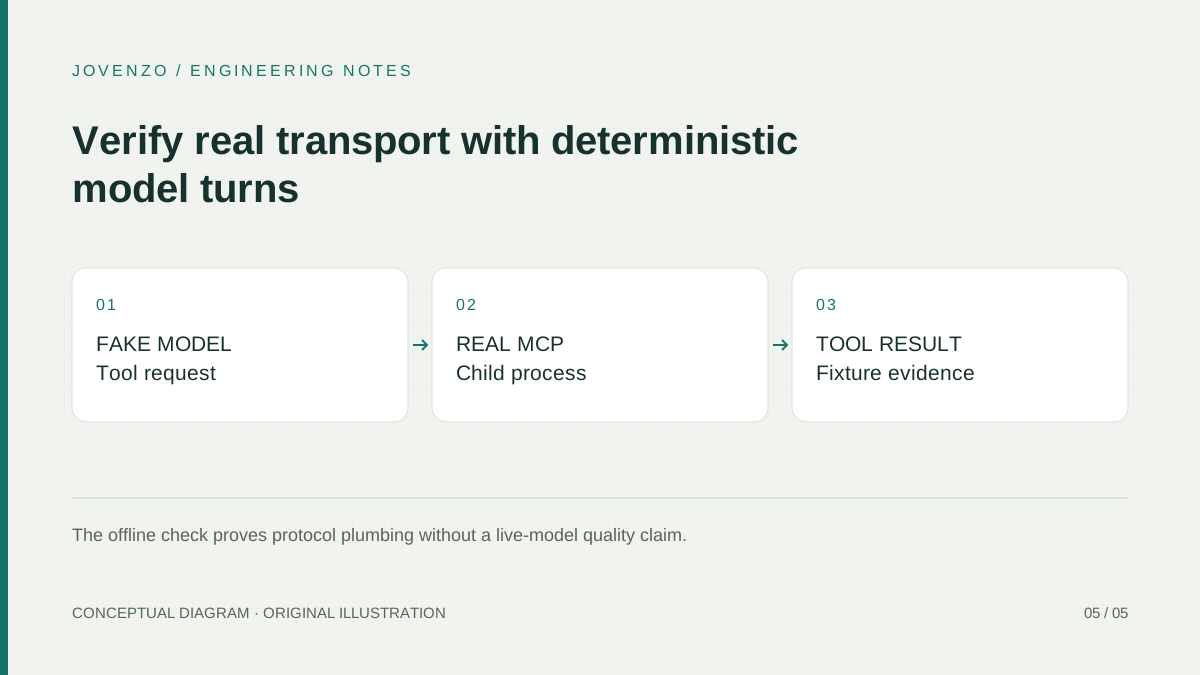
The fake client first requests lookup_product with product 42 and then turns the function result into final text. The call still crosses the real MCP stdio boundary. This separates two claims cleanly: the transport and agent handoff were executed, while a live model's tool choice, refusal behavior, latency, and cost were not.
Verify protocol and agent behavior separately
Run the complete test project first, then the focused subsets when diagnosing this article:
dotnet test tests/Jovenzo.Samples.Tests/Jovenzo.Samples.Tests.csproj `
  --configuration Release --no-build --no-restore

dotnet test tests/Jovenzo.Samples.Tests/Jovenzo.Samples.Tests.csproj `
  --configuration Release --no-build --no-restore `
  --filter 'FullyQualifiedName~LocalCatalogMcpSampleTests'

dotnet test tests/Jovenzo.Samples.Tests/Jovenzo.Samples.Tests.csproj `
  --configuration Release --no-build --no-restore `
  --filter 'FullyQualifiedName~AgentFrameworkTests'

node --test tests/stream-browser.test.mjs
The MCP integration tests start the real SDK assembly through dotnet <assembly> --mcp-server. They verify initialization and listing, exact-one selection, the product 42 fixture, a positive not-found result, a controlled invalid-ID error, the Agent Framework path with the fake model, cancellation before a canceled call reaches the child, and the wrapper's disposal boundary. They do not substitute an in-memory fake transport.
The totals below are intentionally separated. The full C# count protects all examples in the shared archive; it is not an MCP-only score. The eight-case MCP filter is the focused evidence for this article. The thirteen-case Agent Framework filter protects the pre-existing non-MCP agent behavior. The JavaScript tests belong to the SSE browser example and are reported because the same ZIP ships them, not because they strengthen an MCP claim. Likewise, successful smoke output confirms the exact packaged commands, while the xUnit cases provide repeatable assertions for failures that a console demonstration alone would miss.
Verification results — November 2, 2026
- A. Build: locked restore succeeded, and all four projects built in Release with 0 warnings and 0 errors.
- B. C# tests: 247 passed, 0 failed, 0 skipped. The MCP-specific subset passed 8/8; the existing Agent Framework subset passed 13/13.
- C. Browser parser tests: 45 passed, 0 failed, 0 skipped. They are part of the shared package total but are not evidence about MCP behavior.
- D. Key-free commands:
--agent-offline,--mcp-smoke, and--agent-mcp-offlineall completed. The direct MCP command discovered one tool and returned the exact keyboard fixture; the agent command used two deterministic model turns and the real MCP child process. - E. Not performed: no live OpenAI request, remote MCP server, HTTP authorization flow, real-browser MCP client, network/proxy deployment, or live-model tool-selection evaluation was run.
Prepare for a real security boundary
The current MCP security guidance covers confused-deputy risks, token handling, and audience validation. Those remote concerns are not implemented by this local stdio sample. Stdio is a process transport, not a network authorization design. If a future requirement needs Streamable HTTP, design and test authentication, resource indicators, user consent, origin handling, TLS, rate limits, and credential storage as a separate boundary.
For the local case, keep the executable and arguments application-controlled, inherit only the environment the child needs, review package updates, and expose only narrow operations. Never allow a model or untrusted prompt to choose a shell command. A tool result is also untrusted content: it may be wrong or contain instruction-like text, but it cannot grant itself new permissions.
Package updates deserve contract review even when the project still compiles. Re-run discovery and inspect the approved tool's name, input schema, description, and result shape. The exact-one rule catches missing and duplicate names, but it does not prove that an unchanged name still has safe semantics. Keep the pinned lock file in review, compare schema changes deliberately, and rerun the direct call before allowing an updated tool into an agent.
Real tools must authorize against a trusted caller identity inside the application service. A model-supplied tenant ID is not proof of access. Apply field, result-count, execution-time, and concurrency limits at the service boundary. For database work, use the fixed SQL operation pattern rather than generated arbitrary queries.
Troubleshoot the smallest failing layer
If initialization fails, confirm that the Release build exists, dotnet is on the launcher's minimal path, and the child received --mcp-server. If JSON parsing fails immediately, look for accidental Console.WriteLine output in server mode; diagnostics belong on stderr.
If the connection succeeds but discovery fails, inspect WithTools<CatalogTools>() and the MCP attributes. If discovery returns zero or duplicate approved names, keep the failure closed and fix the server contract. Do not fall back to the full discovered list.
If a direct call succeeds but the agent path fails, verify that the client is still alive, that only the selected tool was supplied, and that the chat client supports function calling. Cancellation is cooperative: it can stop waiting and propagate into async operations, but it cannot undo work already completed in another process. Keep the outer deadline and report an incomplete operation honestly.
Distinguish domain and operational results. “Product not found” is successful tool execution with no matching fixture. A non-positive identifier is invalid input. A missing executable, child crash, or broken protocol stream is an operational failure. Those outcomes need different diagnostics and should not be flattened into an empty answer.
Key takeaways
- Use the shared, locked sample rather than constructing a parallel project from snippets.
- Reserve stdout for MCP protocol messages and send logs to stderr.
- Call the approved tool directly before adding the agent loop.
- Require exactly one allowlisted tool; reject zero and duplicate matches.
- Keep the MCP client alive through tool use and dispose the owning component.
- Separate real child-process evidence from unperformed live-model and remote-auth tests.
Frequently asked questions
Does MCP replace my application service layer?
No. MCP supplies an integration protocol. Validation, authorization, business rules, and data access remain application responsibilities. Expose a narrow service operation through a tool rather than moving the domain into protocol handlers.
Why reject two tools with the same approved name?
The client would otherwise choose by order or expose both ambiguous definitions. Exact-one selection makes a changed or malformed server contract visible before an agent can call it.
Should the first server use HTTP?
Not for this tutorial. Local stdio makes process ownership and protocol behavior concrete. Add a remote transport only for a real deployment requirement, together with the current authorization and network controls; do not treat it as a URL-only refactor.
Does the offline agent test prove model quality?
No. Its fake model deliberately requests the fixture tool. The test proves tool discovery, selection, execution, result handoff, and final response wiring. It does not measure a live model's reasoning, reliability, cost, or latency.
Conclusion and next step
The working path is intentionally small: the SDK process registers one tool, the client starts that exact assembly, the application selects exactly one approved name, a direct call verifies the contract, and the agent receives only that selected tool while the client remains alive. Extend it only when a new capability has its own authorization, lifecycle, failure, and verification evidence.
Sources & further reading
Share this article

Bora Yılmaz
Backend developer with a Computer Engineering degree and a professional software development background dating to 2015. His work spans C#, .NET, APIs, enterprise integrations, and software architecture.